Concepts you practice

LAST TRAIN TO VALLE NIEBLA
Your first Python program, against the clock
At midnight the blizzard closes the mountain pass. You run the signal box writing Python so La Lechuza gets everyone home.
About the game
Your first Python programs, against the clock
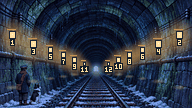
Free game to learn Python from zero, made for people who have never programmed. A blizzard will close the mountain pass at midnight and the station master has twisted her ankle: you run the signal box. Each step is a short program that changes the scene: the board shows what you print, the tunnel lamps light up with your for and the gauge climbs with your while.
- One short program per step
- 12 steps
- No coding needed
- From zero
- Real Python in your browser
- Free
What you learn on the journey

print
You show text and numbers on the departure board.
Beginner

Variables
You keep values under names and use them in sums with + − * /.
Beginner

f-string · len
You build text from variables, turn it into capitals and count its characters.
Beginner

if · elif · else
You compare values with True and False and pick the train's route.
Beginner

for · while
You repeat orders: twelve lamps with range, and shovels until the pressure is right.
Intermediate

Lists
You search with in, add with append, count with len and go through them with for + if.
Intermediate
How to play
Listen to Rosa
Move the dialogue on: Rosa explains each concept with an example.
EnterSpaceClick
Write and run
Complete a 2 to 6 line program and press Run.
CtrlEnter
See what happens
What you print shows on the board and the scene changes with your code. Each step has two hints and a solution if you get stuck.
Frequently asked questions
Short answers before you start playing.
Do I need to know how to code to play?
No. The game starts from print and explains each concept before asking for it, with an example and two hints per step. If you get stuck, you can load a solution, run it and read it slowly.
Is it free?
Yes. It's free to play in your browser, with nothing to install.
Do I need an account?
No. You play right in the browser, on a computer or phone, and your progress and code are saved in that browser.
Where does my code run?
In real Python, inside your browser, with the same console as the Iterixs courses. Your code never leaves your device.
What comes after the game?
The Python Fundamentals course goes over everything you used step by step, with practice in your browser, and the game The Kalun Codex carries on with functions, dictionaries and more.
Keep learning
Take your Python further
On the journey you write your first programs: variables, conditions, loops and lists. These courses take you from those basics to writing real Python.
What the game practices
- Variables
- f-string · len
- if · elif · else
- for · while
- Lists
Start here
Python from scratch
A first Python course that runs entirely in your browser, with nothing to install. You write and run code from the very first hands-on lesson, in short steps with self-checking exercises: variables, numbers, text, decisions, loops, lists, dictionaries and functions. Everything revolves around Café Ceiba, a coffee shop with its menu and its orders of the day. You finish with the program that generates the end-of-day register report: you build it, fix it, extend it and explain it in your own words.
20 lessonsView course
Start here
Practical Python: files and debugging
Read and write CSV and JSON files, split your code into modules, find and fix bugs methodically, and check your functions with simple pytest tests. You work with an online coffee shop's orders, which contain deliberate errors to debug, and finish with a challenge on a file you haven't seen before. The course ends with an introduction to HTTP and JSON, plus an optional guide with the minimum steps to move your code to your own computer with a virtual environment and Git.
19 lessonsView course
Start here
Python exercises for beginners: 36 challenges with solutions
A practice bank to get comfortable writing Python. You solve 36 short challenges organized by topic: variables and operations, conditionals, for and while loops, strings, lists and tuples, dictionaries, and functions. Everything is solved in the browser, and each lesson takes about 20 to 25 minutes: a short review with an example and three challenges. You read a problem with a sample output, complete the code, press Check, and know instantly whether it works. If you get stuck, you have three gradual hints and, after you try it, the commented reference solution. Each lesson stands on its own, so you can start with the topic you need.
12 lessonsView course
Courses with hands-on practice in the browser, from the first step to advanced.
See every Python course